How To Remove Red Eye From Pictures
How To Remove Red Eye From Pictures: Your Ultimate Guide to Flawless Photos
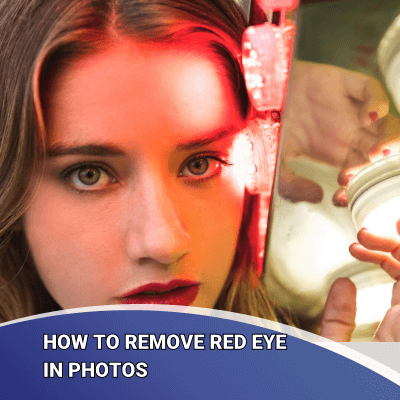
We've all been there: you take the perfect group shot, everyone is smiling, the lighting looks great—and then you notice the dreaded demonic glowing eyes. Red eye can instantly ruin a fantastic photograph.
If you are struggling with those unfortunate glowing pupils, don't worry! Fixing this common issue is much easier than you might think, thanks to modern digital tools. This comprehensive guide will show you exactly How To Remove Red Eye From Pictures quickly and effectively, whether you are on your computer or using your smartphone.
Why Does Red Eye Ruin Our Photos?
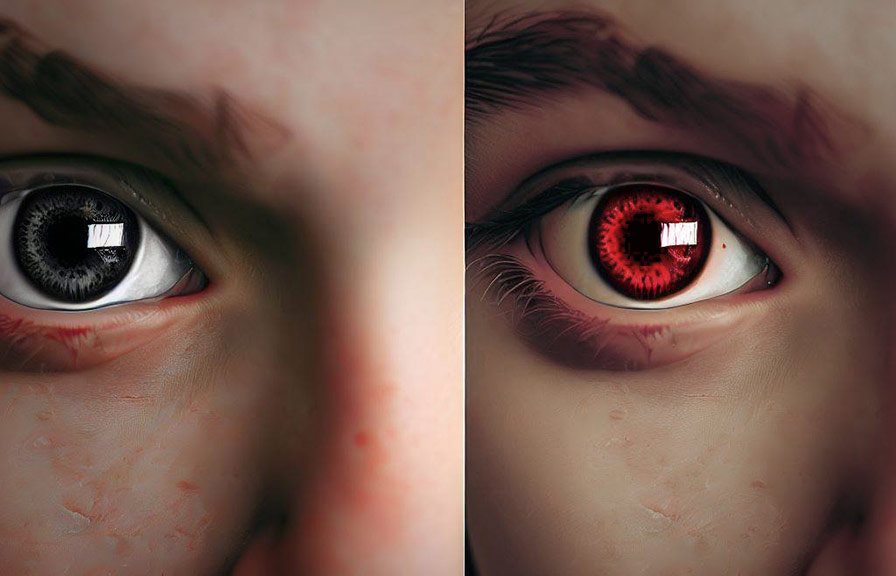
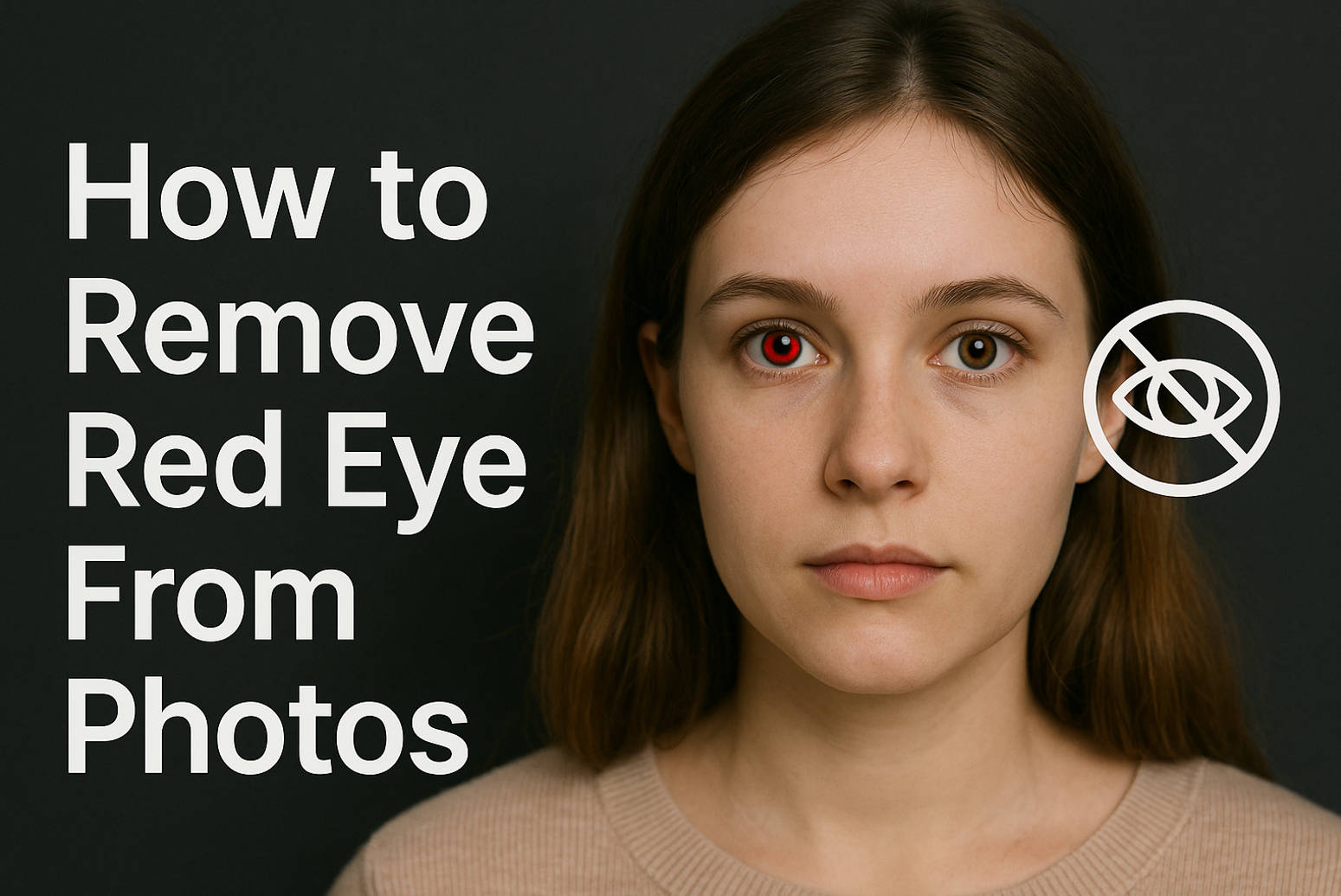
Before we dive into the fixes, let's quickly understand the culprit. Red eye occurs when a camera flash is used directly near the lens in low-light conditions. Since the pupils are wide open in the dark, the flash light travels through the pupil and reflects off the retina (which is rich in blood vessels).
This reflection bounces straight back into the camera lens, appearing as a bright red spot. Babies and pets are often more susceptible because their pupils dilate faster and they tend to have thinner eye tissues. Understanding this phenomenon is the first step toward figuring out How To Remove Red Eye From Pictures and preventing it in the future.
Software Solutions: The Easiest Way to Fix Red Eye
When it comes to learning How To Remove Red Eye From Pictures, dedicated software tools offer the most precise and reliable solutions. Most modern photo editors come equipped with specific red-eye correction tools that automate much of the hard work for you.
Using Built-in Photo Editors (e.g., Apple Photos, Google Photos)
Many operating systems and cloud services offer simple, one-click solutions. These tools are fantastic for amateur photographers who need a quick, no-fuss fix.
Here is the general process for most built-in apps:
- Open the image in your preferred photo editor (Apple Photos, Windows Photo Gallery, etc.).
- Look for the 'Edit' mode or 'Retouch' tools.
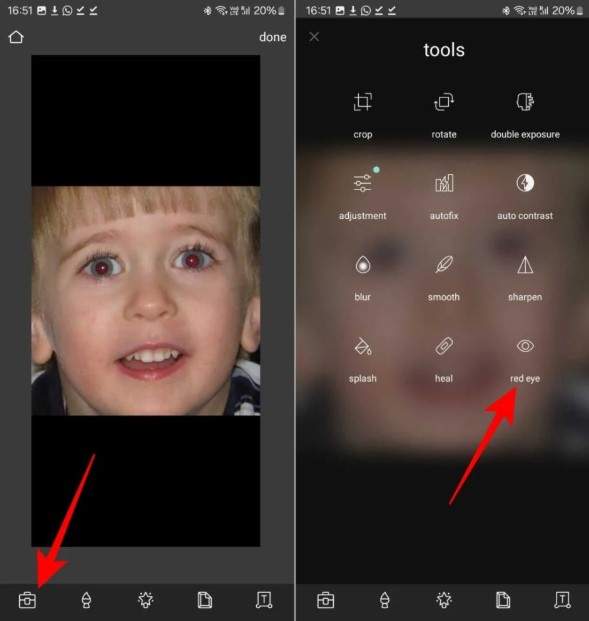
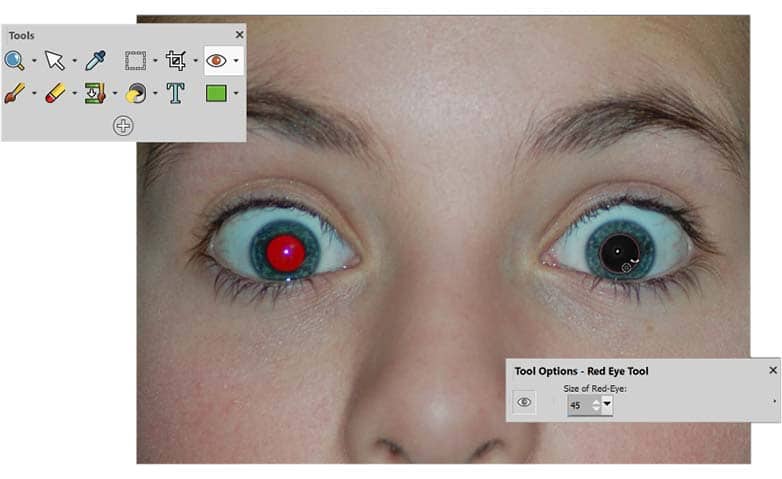
- Find the 'Red Eye Correction' tool, usually represented by an eye icon.
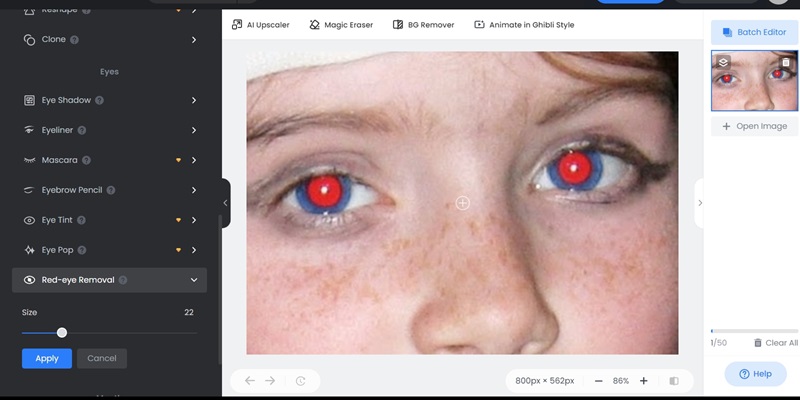
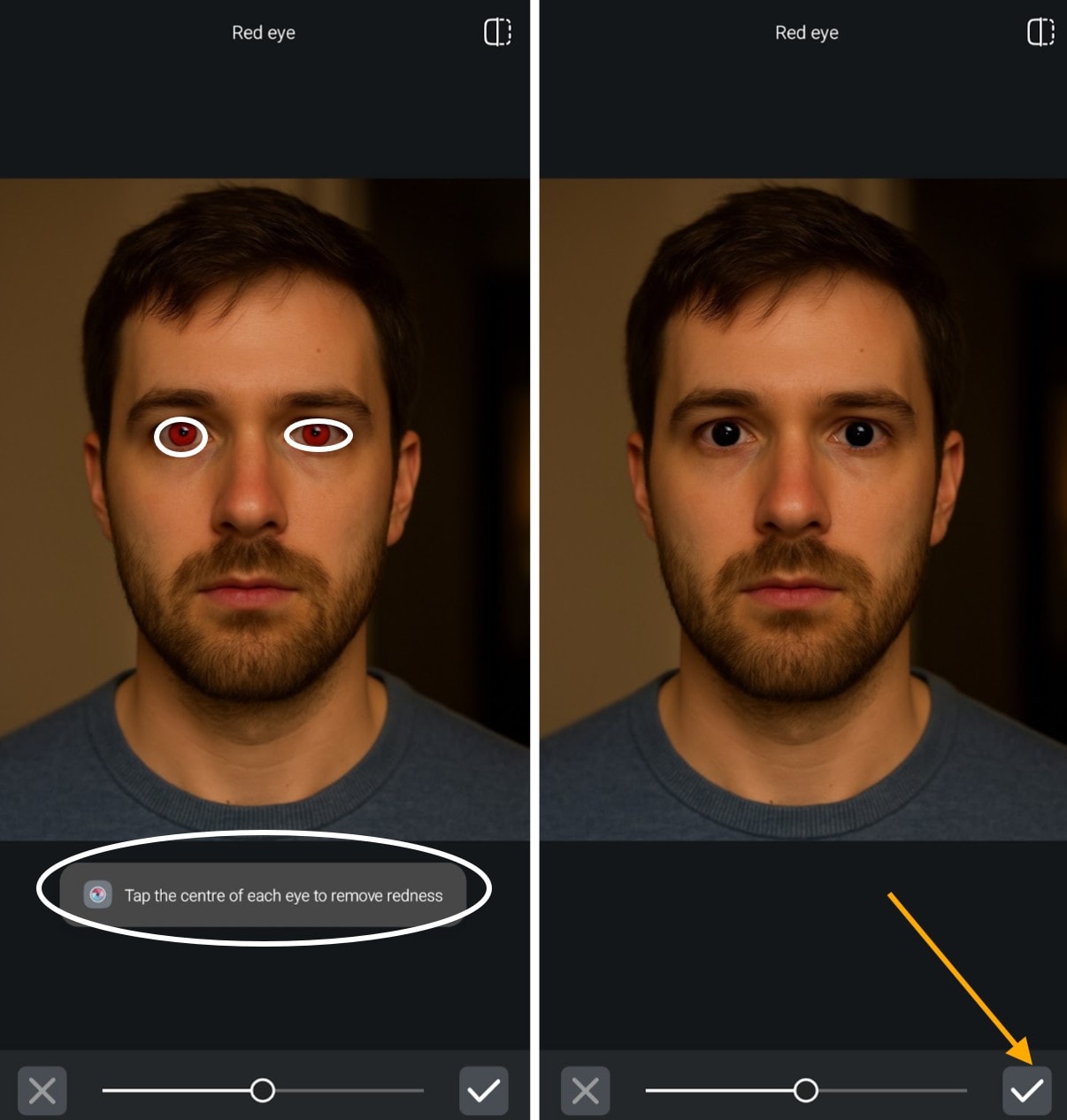
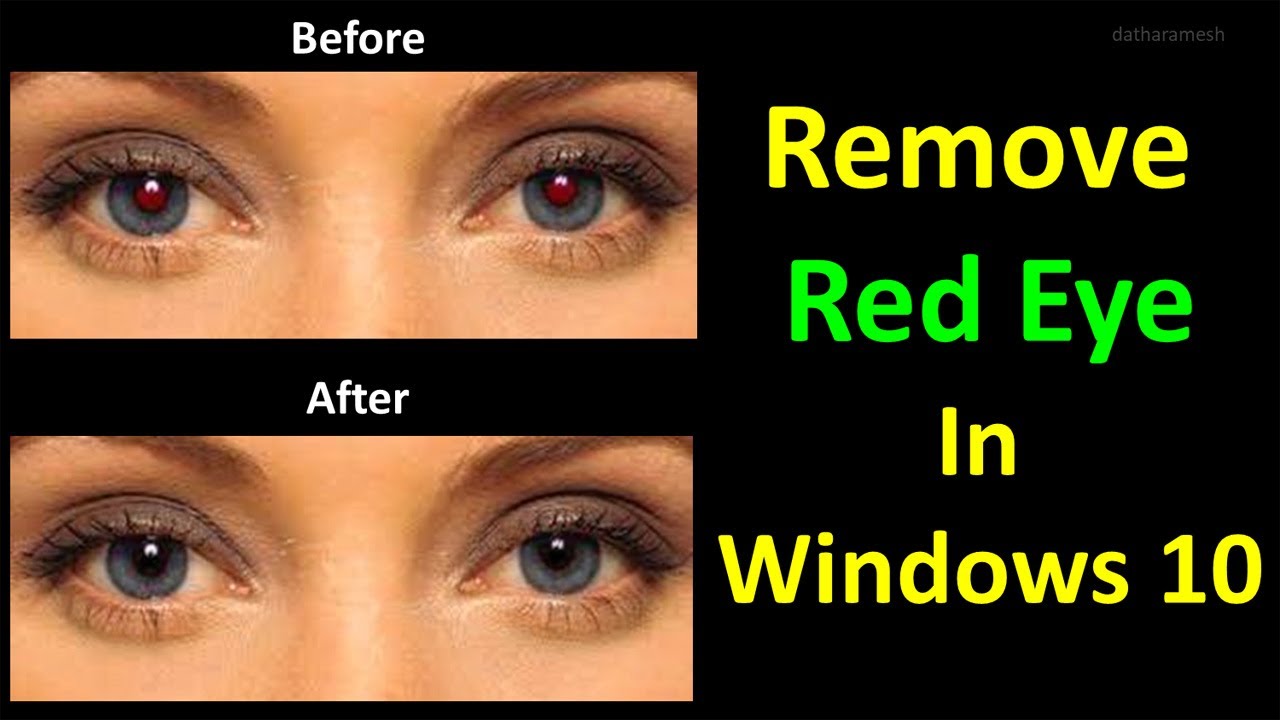
- Click or tap directly on the red areas in the pupil. The software automatically detects the boundary and fills the area with a natural color, usually black or a dark gray.
- Save your corrected image.
These tools are quick and efficient, often taking less than 30 seconds per photo!
Advanced Editing with Professional Tools (e.g., Photoshop)
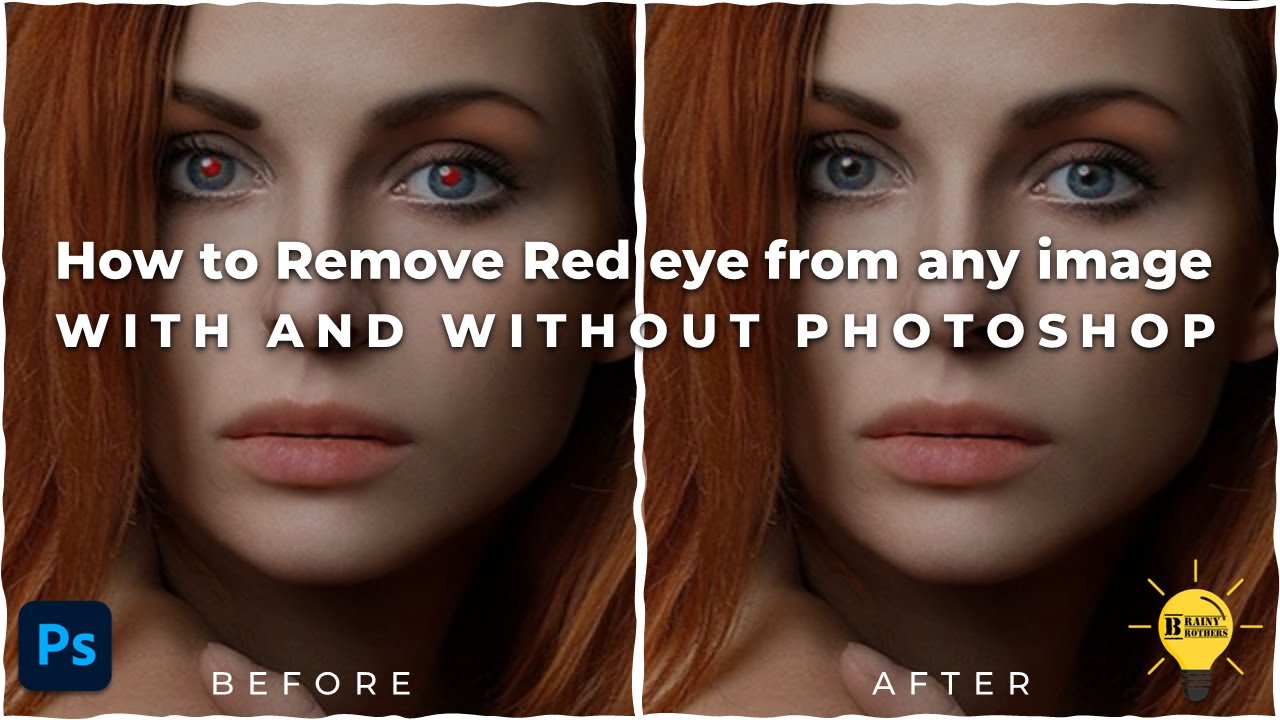
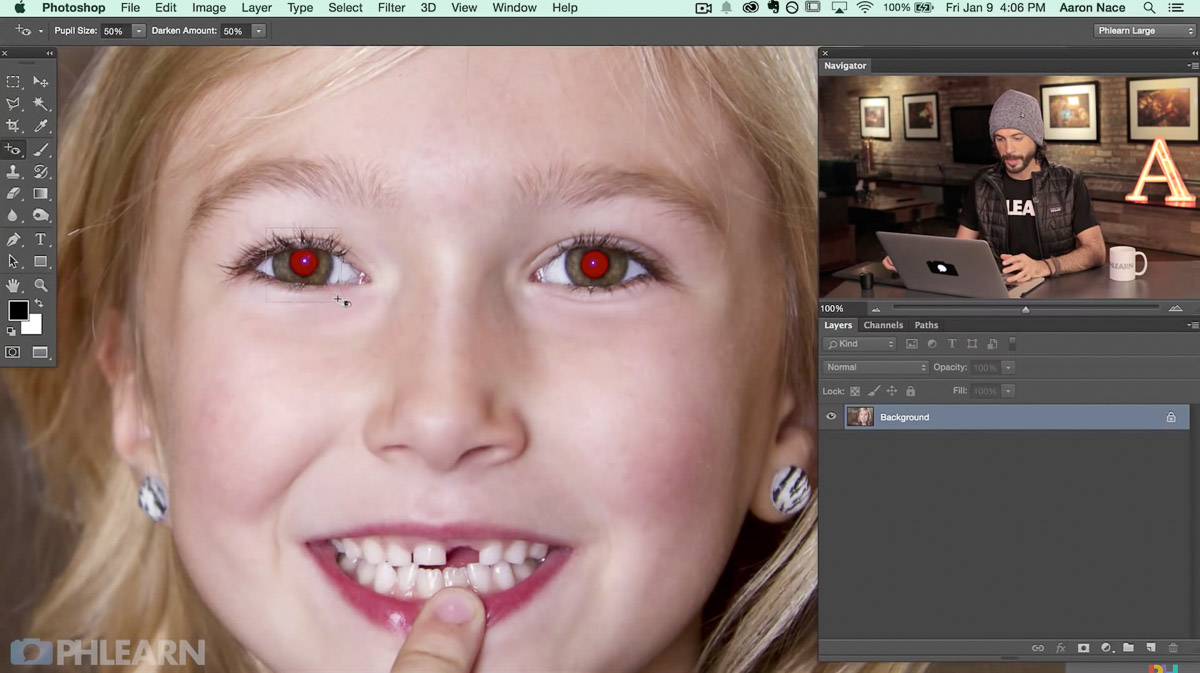
For high-quality photos or instances where the automatic tool doesn't quite nail the fix, professional software like Adobe Photoshop offers granular control. Photoshop specifically has a powerful 'Red Eye Tool' built right into its toolbar.
Using the dedicated Photoshop Red Eye Tool:
- Select the Red Eye Tool (often grouped with the Spot Healing Brush).
- Click once on the center of the red pupil. Photoshop automatically adjusts the Pupil Size and Darken Amount based on algorithms.
- If the result isn't perfect, you can manually adjust the "Pupil Size" and "Darken Amount" settings in the options bar before clicking. This gives you ultimate control over the final look, ensuring the eyes look natural.
Mobile Apps: Fixing Red Eye On-The-Go
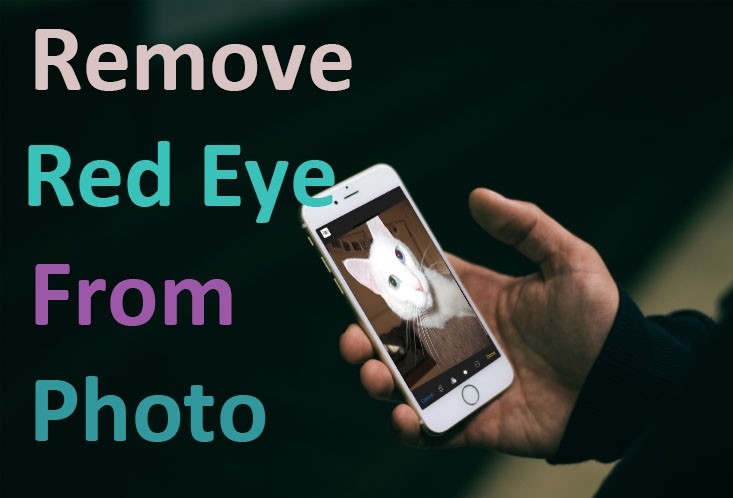
In our highly mobile world, sometimes you need to know How To Remove Red Eye From Pictures right after you take them. Luckily, several excellent mobile applications are designed specifically for quick edits on your iPhone or Android device.
Top Mobile Apps for Red Eye Correction
These apps typically use a simple brush or tap feature to isolate and correct the red glare.
Some highly recommended mobile photo editors include:
- Snapseed (Google): A robust editor that includes a precise healing tool perfect for spot corrections like red eye.
- Adobe Photoshop Express: Offers a specific red-eye removal feature that works quickly and integrates well with Adobe Cloud services.
- YouCam Perfect: Known for beauty edits, but also features dedicated red eye removal tools that are easy to use.
When using a mobile app, remember that precision is key. Zoom in as close as possible to the affected eye before tapping or brushing the red area to ensure you only cover the pupil and not the iris.
Tips and Tricks to Avoid Red Eye in the First Place
While fixing red eye is straightforward, the best solution is prevention! By making a few small adjustments to your shooting environment or camera settings, you can drastically reduce the occurrence of red eye.
Camera Settings That Help Prevent Red Eye
Many modern cameras, including those on smartphones, have special modes designed to combat this issue.
The Power of External Flash
The primary cause of red eye is the flash being too close to the lens. If you have a professional camera, using an external flash unit and bouncing the light off a ceiling or wall instantly removes the issue because the light source is no longer reflecting directly back into the lens.
If you don't have an external flash, try activating the 'Red-Eye Reduction Mode' on your camera. This feature usually fires a quick series of small pre-flashes before the main flash. This causes the subject's pupils to contract before the actual picture is taken, minimizing the light reflected from the retina.
Adjusting Lighting and Subject Position
Sometimes, all it takes is a change of scenery. Avoid taking photos in completely dark rooms, if possible. A little ambient light will cause the pupils to shrink naturally.
Also, encourage your subjects to look slightly away from the camera lens, especially if they are close to the camera. If their gaze is not directed straight into the lens, the light reflection will miss the camera's sensor.
Finally, increase the distance between the subject and the camera. The closer the subject is to the flash, the more prominent the red eye will be. If you step back a little, the intensity decreases significantly.
Conclusion
Dealing with red eye is one of the most common hassles in photography, but it shouldn't stop you from enjoying your pictures. Whether you are using a basic smartphone editor or advanced professional software, knowing How To Remove Red Eye From Pictures is a simple skill that instantly enhances your photo quality.
From simple one-click fixes in built-in editors to precise manual adjustments in Photoshop, you have plenty of options. Remember, prevention is also key! By utilizing red-eye reduction features and adjusting your lighting, you can minimize the chances of needing to fix red eye in the first place. Go ahead—your perfect, red-eye-free photos await!
Frequently Asked Questions (FAQ)
- What is the easiest way to remove red eye for free?
- The easiest free methods typically involve using the built-in photo editors on your device (like Google Photos, Apple Photos, or the basic editing features available in Windows). They often include an automated red-eye tool that requires just a single tap or click.
- Does turning on the lights prevent red eye?
- Yes, absolutely! Red eye occurs because pupils are wide open in low light. Turning on ambient lights causes the pupils to contract, minimizing the reflective surface of the retina and thus reducing or eliminating the red eye effect.
- Why does red eye happen more often with digital cameras than film cameras?
- While it happens with both, it is more common in compact digital cameras because the built-in flash is extremely close to the lens (small distance, high reflection angle). Professional film cameras often allowed for greater separation between the lens and the flash unit.
- Can red eye removal tools work on animal photos?
- Yes, but with a twist! Animals often exhibit "green eye" or "white eye" in flash photography rather than red eye, especially cats and dogs, due to a reflective layer behind their retina called the tapetum lucidum. Most modern red eye removal tools are sophisticated enough to handle green or white reflections too.
- Is it better to fix red eye manually or automatically?
- For quick, casual snaps, automatic tools are fine. If you are dealing with a professional portrait or a picture where the automatic tool struggled (leaving a bit of red remaining), manual tools in software like Photoshop offer better precision and a more natural-looking result.
How To Remove Red Eye From Pictures
How To Remove Red Eye From Pictures Wallpapers
Collection of how to remove red eye from pictures wallpapers for your desktop and mobile devices.

Breathtaking How To Remove Red Eye From Pictures Abstract in 4K
Discover an amazing how to remove red eye from pictures background image, ideal for personalizing your devices with vibrant colors and intricate designs.
Gorgeous How To Remove Red Eye From Pictures Artwork Nature
A captivating how to remove red eye from pictures scene that brings tranquility and beauty to any device.
Detailed How To Remove Red Eye From Pictures Wallpaper Digital Art
Experience the crisp clarity of this stunning how to remove red eye from pictures image, available in high resolution for all your screens.

Spectacular How To Remove Red Eye From Pictures Image Concept
This gorgeous how to remove red eye from pictures photo offers a breathtaking view, making it a perfect choice for your next wallpaper.
Spectacular How To Remove Red Eye From Pictures Image in 4K
This gorgeous how to remove red eye from pictures photo offers a breathtaking view, making it a perfect choice for your next wallpaper.

Spectacular How To Remove Red Eye From Pictures Scene Nature
Immerse yourself in the stunning details of this beautiful how to remove red eye from pictures wallpaper, designed for a captivating visual experience.
Gorgeous How To Remove Red Eye From Pictures Scene Illustration
A captivating how to remove red eye from pictures scene that brings tranquility and beauty to any device.
Artistic How To Remove Red Eye From Pictures Abstract in 4K
This gorgeous how to remove red eye from pictures photo offers a breathtaking view, making it a perfect choice for your next wallpaper.

Captivating How To Remove Red Eye From Pictures View Collection
Immerse yourself in the stunning details of this beautiful how to remove red eye from pictures wallpaper, designed for a captivating visual experience.

Spectacular How To Remove Red Eye From Pictures Landscape Art
This gorgeous how to remove red eye from pictures photo offers a breathtaking view, making it a perfect choice for your next wallpaper.
Lush How To Remove Red Eye From Pictures Background Art
Find inspiration with this unique how to remove red eye from pictures illustration, crafted to provide a fresh look for your background.

Artistic How To Remove Red Eye From Pictures Abstract Concept
A captivating how to remove red eye from pictures scene that brings tranquility and beauty to any device.
Serene How To Remove Red Eye From Pictures Moment for Desktop
Explore this high-quality how to remove red eye from pictures image, perfect for enhancing your desktop or mobile wallpaper.
Gorgeous How To Remove Red Eye From Pictures Artwork Collection
A captivating how to remove red eye from pictures scene that brings tranquility and beauty to any device.

Dynamic How To Remove Red Eye From Pictures Landscape Digital Art
A captivating how to remove red eye from pictures scene that brings tranquility and beauty to any device.
Amazing How To Remove Red Eye From Pictures Picture Art
Discover an amazing how to remove red eye from pictures background image, ideal for personalizing your devices with vibrant colors and intricate designs.
Mesmerizing How To Remove Red Eye From Pictures Picture Nature
Transform your screen with this vivid how to remove red eye from pictures artwork, a true masterpiece of digital design.
Lush How To Remove Red Eye From Pictures Scene Concept
Immerse yourself in the stunning details of this beautiful how to remove red eye from pictures wallpaper, designed for a captivating visual experience.
Gorgeous How To Remove Red Eye From Pictures View Collection
Immerse yourself in the stunning details of this beautiful how to remove red eye from pictures wallpaper, designed for a captivating visual experience.
Stunning How To Remove Red Eye From Pictures Moment Illustration
Find inspiration with this unique how to remove red eye from pictures illustration, crafted to provide a fresh look for your background.
Download these how to remove red eye from pictures wallpapers for free and use them on your desktop or mobile devices.
0 Response to "How To Remove Red Eye From Pictures"
Post a Comment