Reduce Eye Fatigue
Stop the Burn! Simple Ways to Effectively Reduce Eye Fatigue
Are you spending hours glued to a screen, only to finish the day with throbbing headaches, blurry vision, and dry, irritated eyes? If so, you are definitely not alone. In our modern, digitized world, learning how to properly reduce eye fatigue is no longer optional—it's essential for maintaining comfort and long-term vision health.
This discomfort, often termed digital eye strain or Computer Vision Syndrome, affects millions. It drains your productivity, impacts your mood, and makes simple tasks feel arduous. Fortunately, you don't need expensive equipment or drastic lifestyle changes to find relief. We're here to walk you through easy, practical steps you can implement today to soothe your tired eyes.
Let's dive into the science behind why your eyes are aching and discover the immediate actions you can take to make your screen time much more comfortable.
Understanding Digital Eye Strain: Why Your Eyes Are Tired
When we look at a screen, whether it's a computer monitor, tablet, or phone, our eyes have to work much harder than when we look at print on paper. Digital text often lacks the sharp contrast of printed material, and screens generate glare and flicker, forcing the eye muscles to constantly refocus.
Furthermore, studies show that when concentrating on a screen, we blink up to 50% less frequently than normal. Blinking is crucial because it lubricates the eye surface with tears. When this action slows down, the eyes quickly become dry and irritated, leading directly to the symptoms we associate with eye fatigue.
Recognizing the signs is the first step toward effective mitigation. Common symptoms of digital eye strain include:
- Headaches or migraines, often localized around the temples or forehead.
- Blurred vision, especially when switching focus from near to far objects.
- Burning, stinging, or gritty feeling in the eyes.
- Increased sensitivity to light (photophobia).
- Neck and shoulder pain, often related to poor posture while squinting at a screen.
Understanding these triggers helps us strategically adjust our habits and environment to proactively reduce eye fatigue.
Implementing the Essential 20-20-20 Rule
The single most recommended and easiest strategy to fight digital eye strain is the 20-20-20 rule. This rule is remarkably simple to remember and implement, acting as a mandatory rest period for your overworked focusing muscles.
- Every 20 Minutes: Set a timer or use an application that reminds you to pause your focused work.
- Look at Something 20 Feet Away: Shift your gaze away from your screen and look at an object that is approximately 20 feet (or 6 meters) away from you. This allows the internal focusing muscles of the eye to relax completely.
- For 20 Seconds: Hold your gaze on that distant object for at least 20 seconds. This short duration is enough time for the eye muscles to regain their resting state.
Seriously, make this rule non-negotiable. Using the 20-20-20 rule breaks the cycle of sustained focus and significantly helps to moisturize the eyes naturally, making it a cornerstone for those serious about how to reduce eye fatigue effectively.
Immediate Changes to Your Workspace Setup
Your physical environment plays a huge role in how much strain your eyes endure. A few ergonomic tweaks can make a world of difference. Proper positioning ensures you are viewing your screen at the most comfortable and least demanding angle.
Optimizing Your Screen Settings for Comfort
The monitor should be positioned directly in front of you, about 20 to 40 inches away (arm's length). Importantly, the top of the monitor should be level with or slightly below your eye level. This downward gaze angle is more natural and reduces eyelid opening, which helps keep your eyes moist.
You should also consider adjusting the display settings itself. Higher resolution displays are generally better for eye comfort, but you must ensure the text size is adequate. If you find yourself leaning forward or squinting, the font is too small!
Adjusting Brightness and Contrast
Screen brightness is critical. If your screen looks like a light source in a dark room, it is too bright. A general rule is to match the brightness of your screen to the brightness of your surrounding environment. If the white background on your screen looks like a light bulb, lower the brightness setting.
Contrast is equally important. Ensure that the text-to-background contrast is high. Black text on a white or slightly off-white background is usually the easiest for the eyes to process. Avoid busy patterns or jarring color combinations.
The Importance of Proper Lighting
Ambient lighting should be managed carefully to avoid glare. Glare—reflections from windows or bright overhead lighting—is a major contributor to eye strain. Ideally, your workspace should be illuminated with soft, ambient lighting.
If possible, position your monitor so windows are to the side, rather than directly in front of or behind the screen. If you cannot adjust the window placement, use blinds or curtains to diffuse the light. Using a desk lamp directed at your paperwork (not your screen) can also help balance the overall light levels, making it easier to reduce eye fatigue during long sessions.
Lifestyle Habits that Naturally Reduce Eye Fatigue
Beyond screen adjustments, our daily habits are powerful tools in combating eye strain. Taking care of your body means taking care of your vision. These simple adjustments can make a profound difference in how your eyes feel by the end of the day.
Simple Eye Exercises You Can Do Anywhere
Just like any other muscle, the muscles that control eye movement and focus benefit from gentle exercise and stretching. Incorporating these brief exercises into your break time can help alleviate tension and improve muscle flexibility.
- Palming: Rub your hands together until they are warm. Gently cup your hands over your closed eyes, blocking out all light. Do this for 30 to 60 seconds. The warmth and darkness help relax the eye muscles.
- Focus Shifting: Hold your finger a few inches away from your nose. Focus on it, then shift your focus to an object far across the room. Repeat this back and forth 10 times.
- Figure Eight: Without moving your head, slowly trace a large imaginary figure eight with your eyes. Reverse the direction after 30 seconds.
- Conscious Blinking: Remember that lack of blinking is an issue. Consciously practice blinking rapidly 10 times every hour to refresh your tear film and moisturize your eyes.
These exercises require only a minute or two and are fantastic complements to the 20-20-20 rule, helping to actively reduce eye fatigue.
Hydration and Diet: Fueling Healthy Eyes
Dry eyes are a massive component of digital strain, and dehydration contributes heavily to dryness. Ensure you are drinking enough water throughout the day. If your body is well-hydrated, your tear film will be healthier and more effective at lubricating your eyes.
Furthermore, what you eat directly affects your vision health. Focus on incorporating nutrients that support eye structure and function:
- Omega-3 Fatty Acids: Found in oily fish like salmon, these are essential for maintaining healthy tear film and fighting dry eye symptoms.
- Lutein and Zeaxanthin: These antioxidants, found in leafy greens (spinach, kale), help protect the retina and reduce damage from high-energy blue light.
- Vitamin A: Crucial for good vision and fighting dry eye, found in carrots, sweet potatoes, and eggs.
Good nutrition, coupled with mindful screen breaks, creates a holistic approach to maintaining bright, comfortable eyes, even through the longest workdays.
Conclusion: Taking Charge to Reduce Eye Fatigue
Eye fatigue is more than just an annoyance; it's a clear signal that your eyes need relief. Thankfully, managing this common issue is entirely within your control. By making simple, consistent changes—like strictly following the 20-20-20 rule, optimizing your screen position and settings, and nurturing your eyes through better hydration and diet—you can dramatically reduce eye fatigue.
Remember that preventing strain is far easier than treating severe symptoms. Be proactive, listen to your body, and give your eyes the breaks and care they deserve. Your productivity and overall comfort will thank you for it!
Frequently Asked Questions (FAQ)
- Can blue light blocking glasses truly help reduce eye fatigue?
- While scientific consensus is mixed on whether blue light itself causes lasting damage, many users report that blue light filtering glasses reduce discomfort and improve sleep quality. They are often beneficial because they slightly warm the screen tone, which can feel less harsh than bright white light.
- How far away should my monitor be placed?
- The optimal distance is generally 20 to 40 inches (about arm's length) away from your face. The exact distance should be the point where you can read text comfortably without leaning in or squinting.
- What is the quickest way to treat dry eyes caused by computer use?
- The quickest fix is often using over-the-counter artificial tears (lubricating eye drops) to replenish moisture. Combining this with a conscious effort to blink more fully and follow the 20-20-20 rule will provide sustained relief.
- Does the resolution of my screen matter for eye health?
- Yes, it does. Higher-resolution displays (like 4K or Retina displays) generally show crisper text and graphics, which reduces the amount of effort required by your eye muscles to focus, helping to prevent strain.
Reduce Eye Fatigue
Reduce Eye Fatigue Wallpapers
Collection of reduce eye fatigue wallpapers for your desktop and mobile devices.

Artistic Reduce Eye Fatigue Landscape Photography
A captivating reduce eye fatigue scene that brings tranquility and beauty to any device.

Serene Reduce Eye Fatigue Artwork for Desktop
Transform your screen with this vivid reduce eye fatigue artwork, a true masterpiece of digital design.

Stunning Reduce Eye Fatigue Design for Your Screen
Find inspiration with this unique reduce eye fatigue illustration, crafted to provide a fresh look for your background.

Amazing Reduce Eye Fatigue Artwork Digital Art
Experience the crisp clarity of this stunning reduce eye fatigue image, available in high resolution for all your screens.
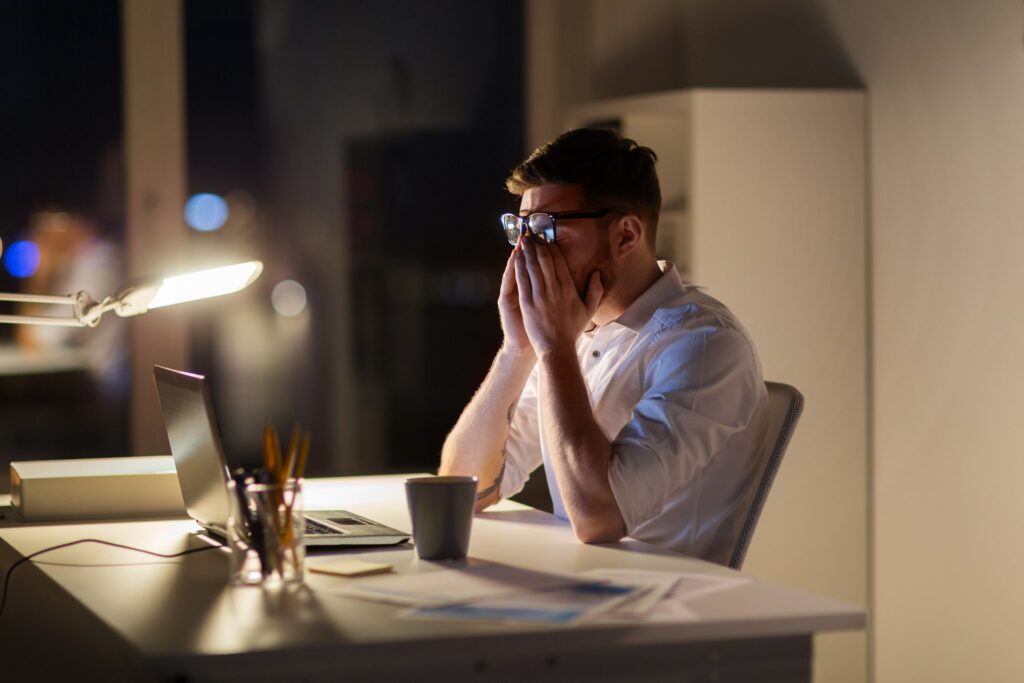
Spectacular Reduce Eye Fatigue Artwork for Your Screen
Find inspiration with this unique reduce eye fatigue illustration, crafted to provide a fresh look for your background.

Artistic Reduce Eye Fatigue View Nature
Find inspiration with this unique reduce eye fatigue illustration, crafted to provide a fresh look for your background.

Vibrant Reduce Eye Fatigue Landscape Illustration
Transform your screen with this vivid reduce eye fatigue artwork, a true masterpiece of digital design.

Stunning Reduce Eye Fatigue Abstract for Your Screen
Immerse yourself in the stunning details of this beautiful reduce eye fatigue wallpaper, designed for a captivating visual experience.

Breathtaking Reduce Eye Fatigue Picture in HD
Discover an amazing reduce eye fatigue background image, ideal for personalizing your devices with vibrant colors and intricate designs.

Exquisite Reduce Eye Fatigue Design Nature
This gorgeous reduce eye fatigue photo offers a breathtaking view, making it a perfect choice for your next wallpaper.

Stunning Reduce Eye Fatigue View Illustration
Immerse yourself in the stunning details of this beautiful reduce eye fatigue wallpaper, designed for a captivating visual experience.
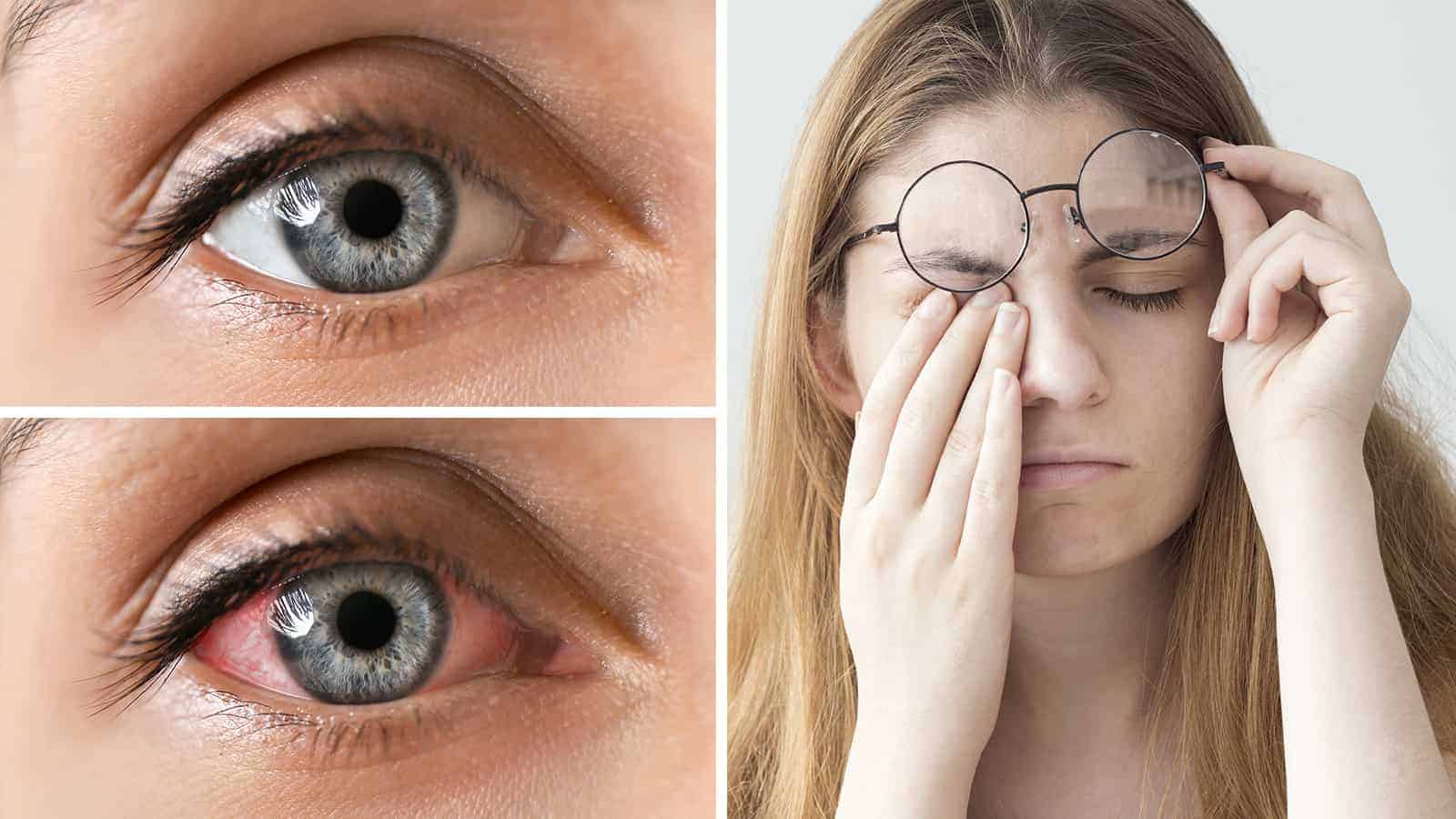
Exquisite Reduce Eye Fatigue Artwork Nature
Find inspiration with this unique reduce eye fatigue illustration, crafted to provide a fresh look for your background.

Vibrant Reduce Eye Fatigue Capture Nature
Experience the crisp clarity of this stunning reduce eye fatigue image, available in high resolution for all your screens.
Beautiful Reduce Eye Fatigue Moment Collection
Experience the crisp clarity of this stunning reduce eye fatigue image, available in high resolution for all your screens.

Detailed Reduce Eye Fatigue Image for Mobile
Experience the crisp clarity of this stunning reduce eye fatigue image, available in high resolution for all your screens.
Captivating Reduce Eye Fatigue Scene Photography
This gorgeous reduce eye fatigue photo offers a breathtaking view, making it a perfect choice for your next wallpaper.

Amazing Reduce Eye Fatigue Artwork Nature
Transform your screen with this vivid reduce eye fatigue artwork, a true masterpiece of digital design.
Artistic Reduce Eye Fatigue Landscape in 4K
Find inspiration with this unique reduce eye fatigue illustration, crafted to provide a fresh look for your background.

Lush Reduce Eye Fatigue Moment for Desktop
Find inspiration with this unique reduce eye fatigue illustration, crafted to provide a fresh look for your background.

Serene Reduce Eye Fatigue Photo for Desktop
Discover an amazing reduce eye fatigue background image, ideal for personalizing your devices with vibrant colors and intricate designs.
Download these reduce eye fatigue wallpapers for free and use them on your desktop or mobile devices.
0 Response to "Reduce Eye Fatigue"
Post a Comment